
Variables
Create definitions
Open Home → Variables. Add a namespace, enter its name and save. Select it before adding another namespace to build a hierarchy.
Select a namespace and add a variable. Supported types are number, string and numeric array. Numbers can have limits, units and enumerated values. Enter array initial values separated by commas, such as 1, 2, 3. Names use ASCII letters, digits and underscores, beginning with a letter or underscore. Names within one namespace must be unique.
Double-click a name or choose Edit to change its definition. Save is disabled for invalid names, parents, limits, initial values or enums. Definitions and deletion are disabled while measurement is running.
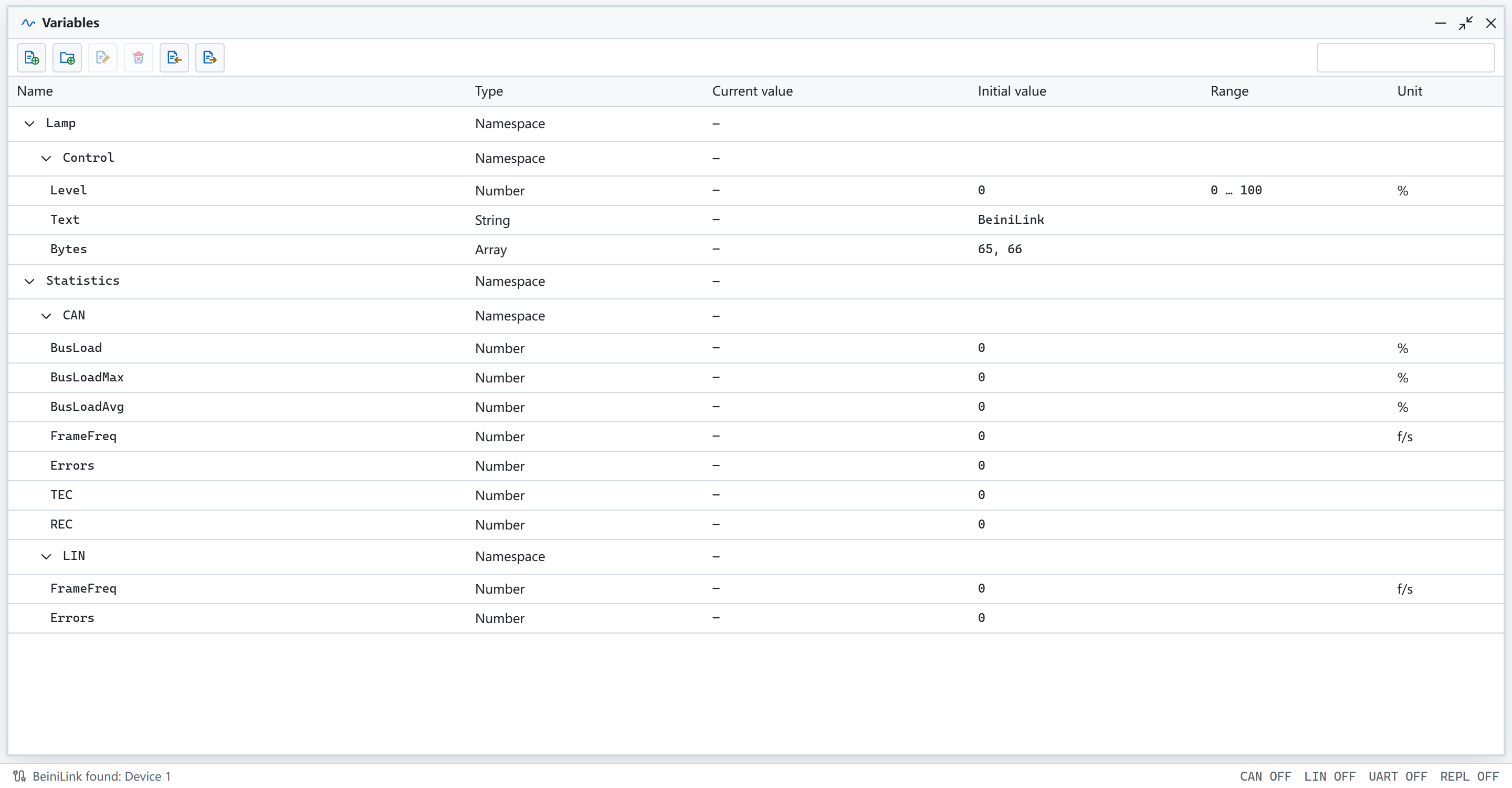
The Variables window lists project variables by namespace. Sample data.
Use variables in panels
Create a panel, open its editor, add a control and select Binding in its properties. The first binding supplies numeric limits, units and enum options. Sliders, numeric inputs, progress bars and LEDs use numeric variables. Hex/Text editors use strings or arrays; path controls use strings.
Writes are enabled during measurement. Controls in multiple windows share the current value. Double-click a variable's current value to edit it. Invalid writes leave the value unchanged and appear in Information. System variables are read only.
Remember and restore values
Writable controls remember values by default. Stopping measurement stores the last value in the project and marks it modified. Save the .blproj file to restore that value on the next measurement after reopening.
A control with Remember value disabled applies its initial value or initial text at each start. If several controls share a variable, a reset control takes priority. When several reset controls exist, the first valid initial value in panel and control order is used.
System variables
Statistics.CAN provides BusLoad, BusLoadMax, BusLoadAvg, FrameFreq, Errors, TEC and REC. Statistics.LIN provides FrameFreq and Errors. Values refresh approximately every 0.5 seconds during measurement, remain visible after stopping, and clear at the next start.
User definitions and remembered values are saved in the project. System variables and runtime history are not saved. Deleting a variable retains its panel binding and shows it as missing until rebound.
Example and validation
docs/manual/examples/variables.blproj includes two namespace levels, three value types and shared numeric controls. Its CAN module uses listen-only mode. Select an actual device and start measurement to use writable controls.
Run beinilink-cli project validate --file variables.blproj --output json for an offline check. It reports invalid names, duplicate full names, missing or cyclic parents, ranges, initial values and enums.